MCCircle
How to Make a Dome in Minecraft (Glass Domes & 3D Spheres)
Align the first ring with your base, then use the blueprint for each Y level to build up to the cap.
1. Build a Center Y-Axis Scaffolding Pillar
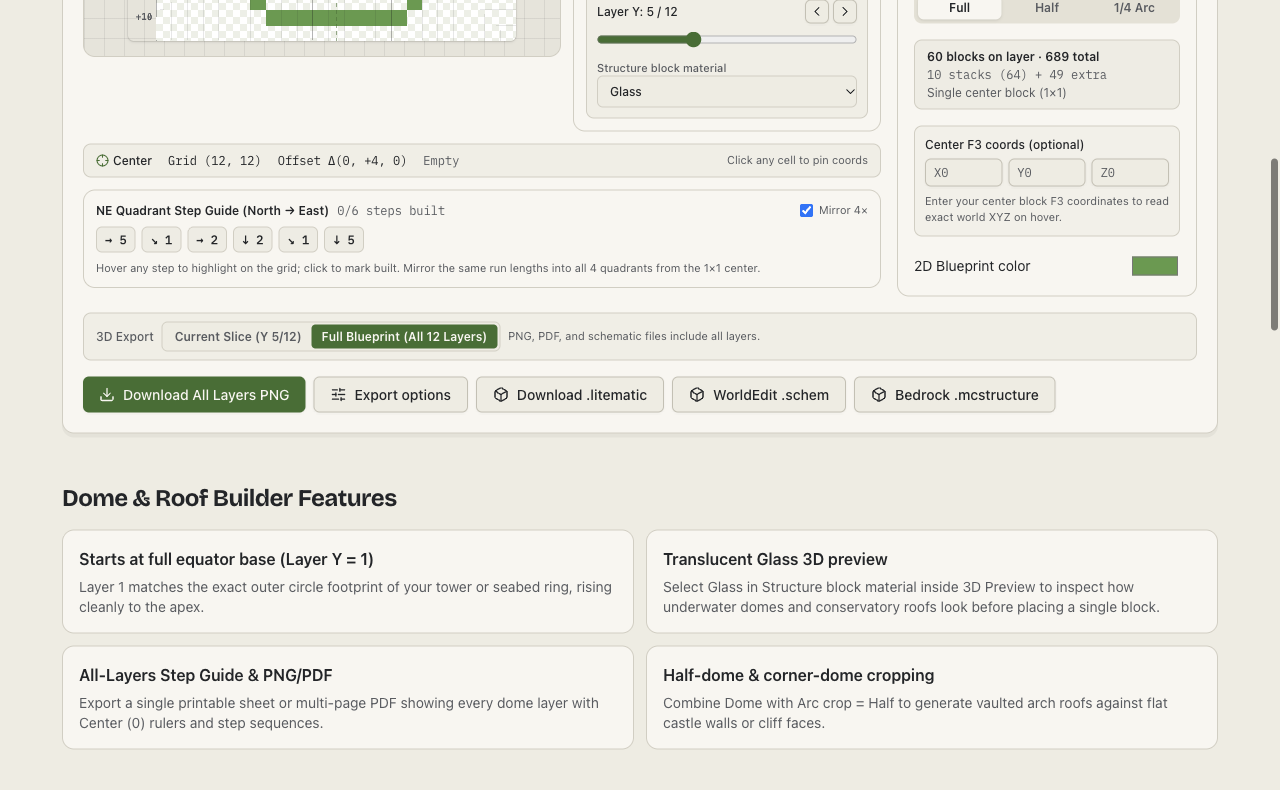
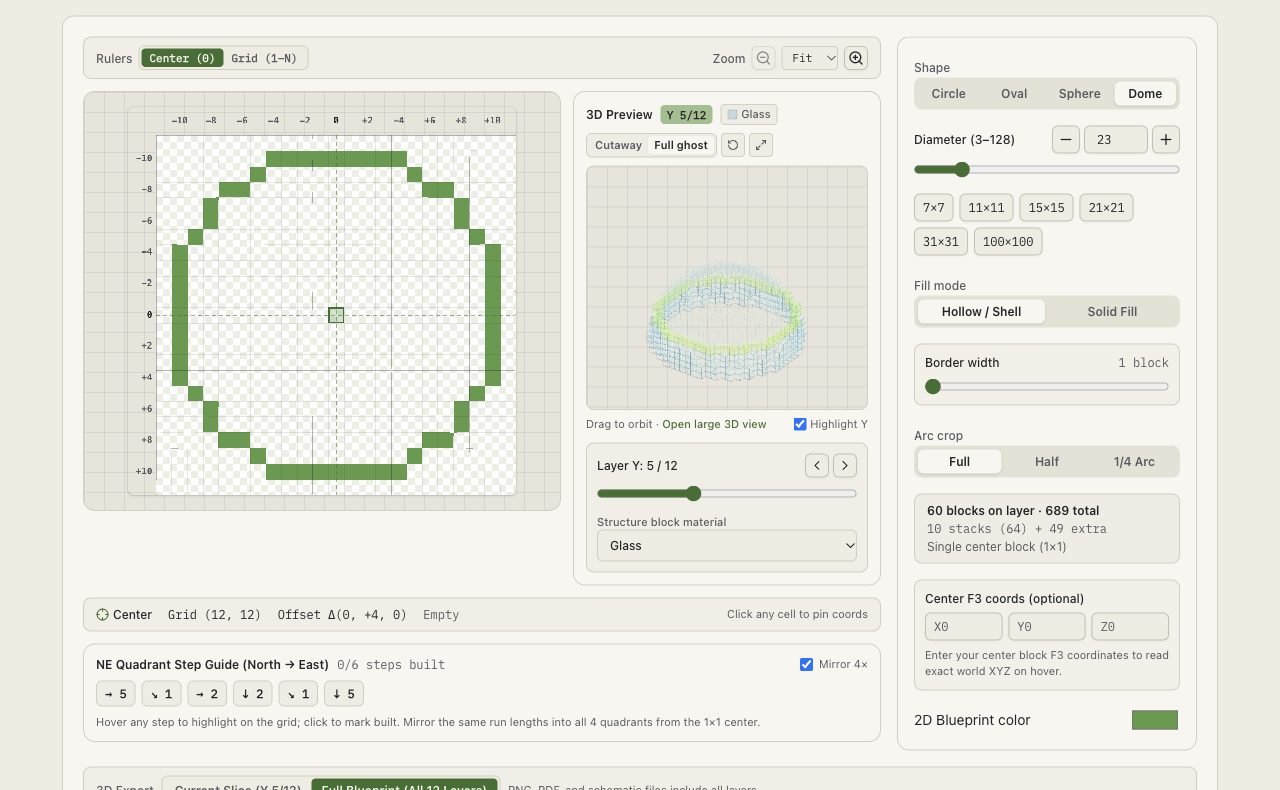
Run a temporary column (such as dirt, scaffolding, or ladders) straight up the exact center (0, 0) to the full height of your dome or sphere. On a 23×23 dome, Layer Y runs from 1 at the equator base to 12 at the top cap. Stepping through Layer Y with the ↑ / ↓ keys updates the 2D blueprint, F3 Y-offset, and highlighted 3D ring simultaneously.
For an existing round base, measure its outside diameter. Align the north, south, east, and west edges of the first ring with the base. Keep all higher layers centered over the same column. The generator makes a hemisphere, so its diameter determines the height.
23×23 hollow glass dome · 12 layers · 689 blocks
- Layer 1 blueprint · 64 blocks
- Layer 2 blueprint · 64 blocks
- Layer 3 blueprint · 64 blocks
- Layer 4 blueprint · 60 blocks
- Layer 5 blueprint · 60 blocks
- Layer 6 blueprint · 56 blocks
- Layer 7 blueprint · 52 blocks
- Layer 8 blueprint · 48 blocks
- Layer 9 blueprint · 60 blocks
- Layer 10 blueprint · 60 blocks
- Layer 11 blueprint · 64 blocks
- Layer 12 blueprint · 37 blocks
2. Switch Between Full Ghost & Cutaway 3D Views
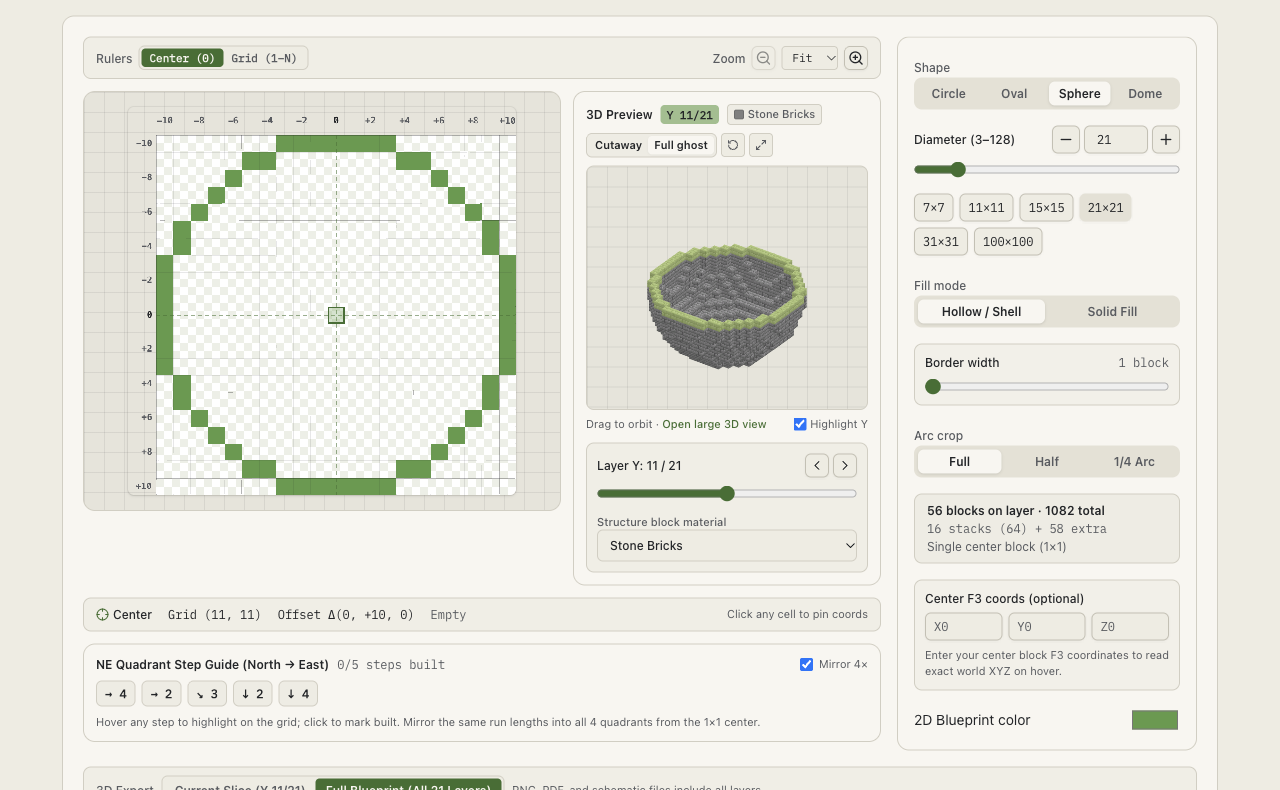
In the Minecraft Dome Generator, select Glass in Structure block material when planning conservatories or ocean monument domes. Use Full ghost to judge the full upper curvature, or switch to Cutaway inside the Minecraft Sphere Generator to inspect interior wall thickness and polar reinforcement rings cleanly.
3. Draining Underwater Glass Domes & Sealing Polar Caps
For underwater glass domes, build the entire outer glass shell while flooded first—do not skip the extra inward blocks generated on the top two layers, because steep polar curves leave diagonal water leaks if simplified. Once sealed, divide the interior with 4-wide sand or gravel walls and sponge each strip from the crown downward.
4. Export All Layers PNG, Multi-Page PDF, or 3D Schematics
Set 3D Export to Full Blueprint (All Layers) to download a single All-Layers PNG sheet, a multi-page Grid PDF, or direct .litematic, .schem, and .mcstructure files for the whole dome.